Real-Time Drive Monitoring
Use as an HDD health monitor and SSD monitoring tool to track utilization, speed, and disk health with high-frequency live telemetry.
DriveWatch is a professional HDD and SSD health monitoring software for real-time drive scanning, SMART diagnostics, temperature monitoring, and disk health analysis. DriveWatch helps you monitor SSD health, USB devices, NAS systems, fan RPM context, CPU temperature, and GPU temperature tracking with real-time analytics, smart alerts, recovery tools, and automatic updates.
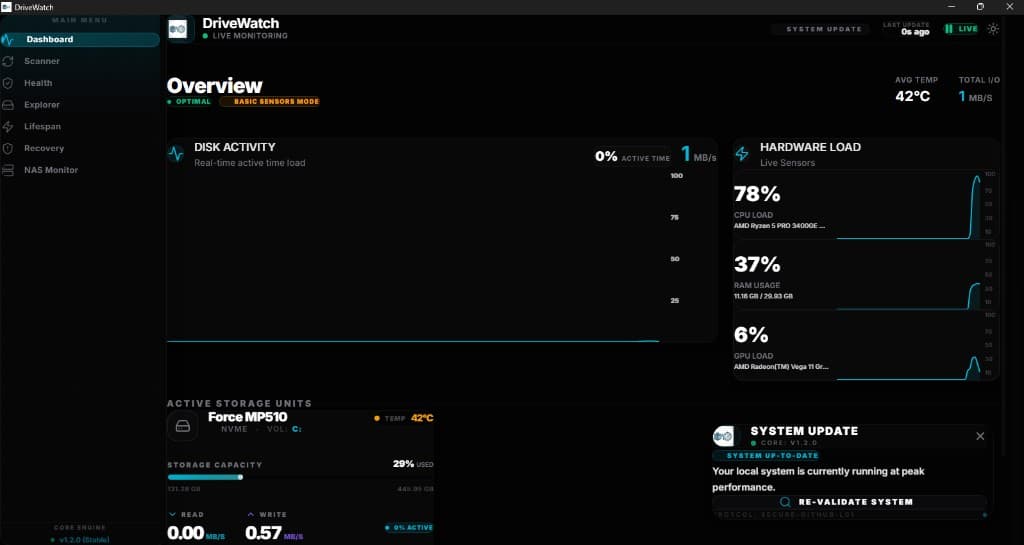
42°C
Avg Temp
1 MB/s
Current I/O
98%
System Health
Every panel, signal, and alert is tuned for SSD health monitoring, disk health analytics, fan RPM context, CPU monitoring, GPU monitoring, and high confidence diagnostic decisions.
View all featuresUse as an HDD health monitor and SSD monitoring tool to track utilization, speed, and disk health with high-frequency live telemetry.
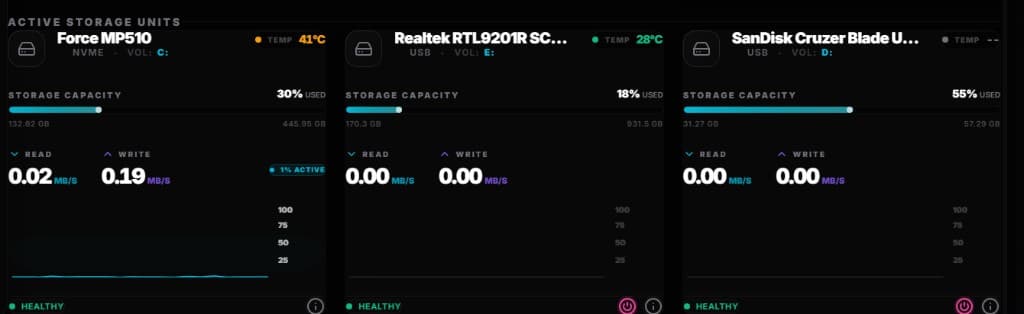
Instantly detect USB insertions, removals, serial identities, and access patterns.
Monitor mapped NAS performance, uptime, latency spikes, and status transitions.
Surface proactive SSD health monitoring, SMART drive monitor analytics, and predictive risk indicators before failure.
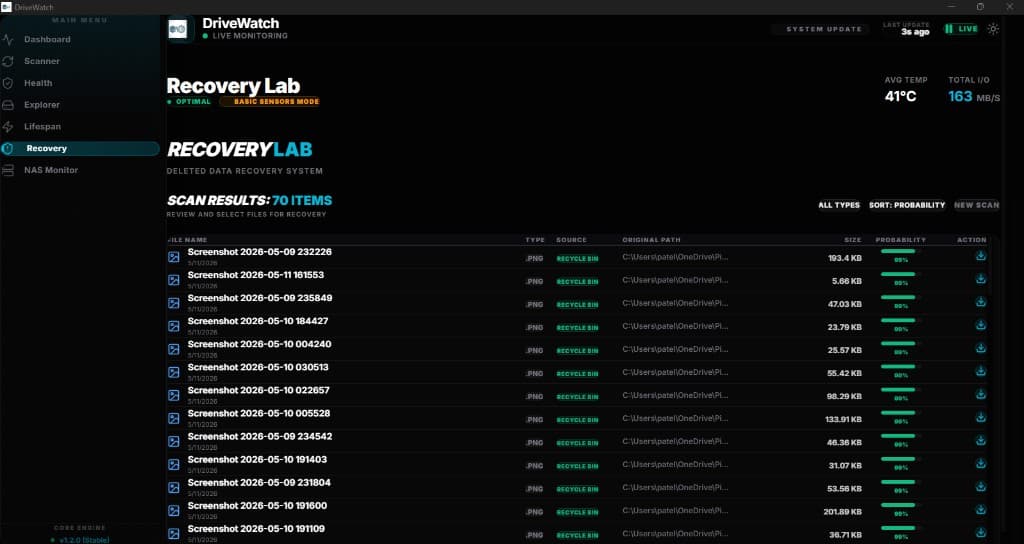
A complete drive scan tool and disk diagnostic tool with guided recovery workflows, sector checks, and integrity restoration.
Analyze read/write throughput, queue depth, sustained load behavior, and hardware analytics trends.
Review detailed historical event streams with timestamps and filterable details.
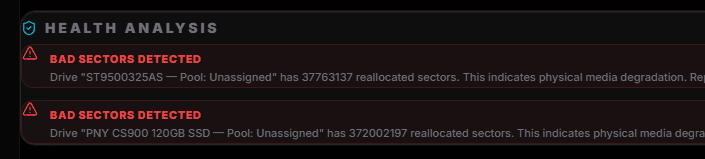
Receive intelligent alerts for thermal stress, health anomalies, and activity spikes.
Manage multiple internal and external drives from one consolidated control center and hard drive checker.
Operate from a polished dashboard designed for speed, clarity, and confidence.
Stay continuously updated with secure update prompts and one-click installation.
Engineered for low overhead so PC monitoring software never slows your critical workflows.
Perform an SSD health check, monitor storage temperature, activity spikes, and disk health from a clean monitoring workspace.
Understand fan RPM monitoring context alongside CPU temperature, GPU temperature tracking, and system load.
Monitor CPU temperature, GPU temperature tracking, and performance behavior for stable Windows systems.
Run practical Windows system diagnostics with storage, thermal, event, and smart alert visibility.
Turn raw drive activity into readable disk health software analytics for internal, external, USB, and NAS storage.
DriveWatch connects the search-critical workflows people expect from premium Windows monitoring software: SSD health monitoring, fan RPM monitoring, CPU temperature monitoring, GPU temperature tracking, system diagnostics, and disk health analytics.
Use DriveWatch as an SSD health monitor and drive health monitor for temperature trends, storage activity, smart alerts, and disk health analytics.
Learn moreReview fan RPM monitoring context with CPU temperature, GPU temperature tracking, and workload behavior to understand cooling performance.
Learn moreTrack CPU monitoring, CPU temperature, GPU monitoring, and GPU temperature tracking alongside storage and system diagnostics.
Learn moreDiagnose Windows systems with hardware monitoring, event logs, thermal awareness, storage health, and proactive alert workflows.
Learn moreTurn drive performance, disk health, USB activity, and NAS behavior into readable hardware analytics for maintenance decisions.
Learn moreLive drive analytics in a cinematic interface
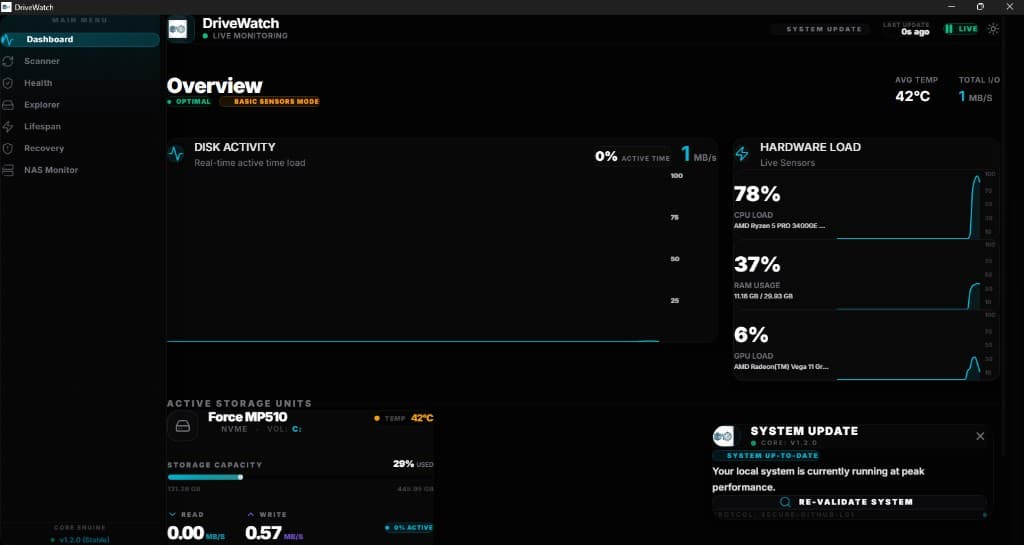
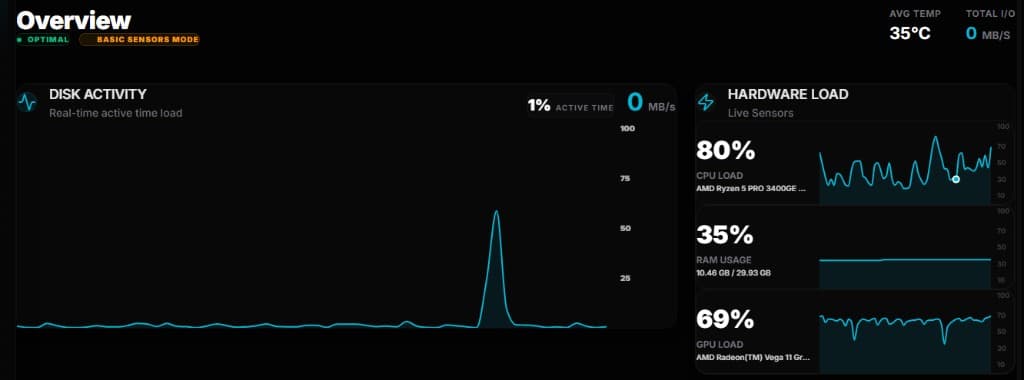
Active load, throughput, temperature, and health in motion
Track remote volumes, response latency, and activity flow
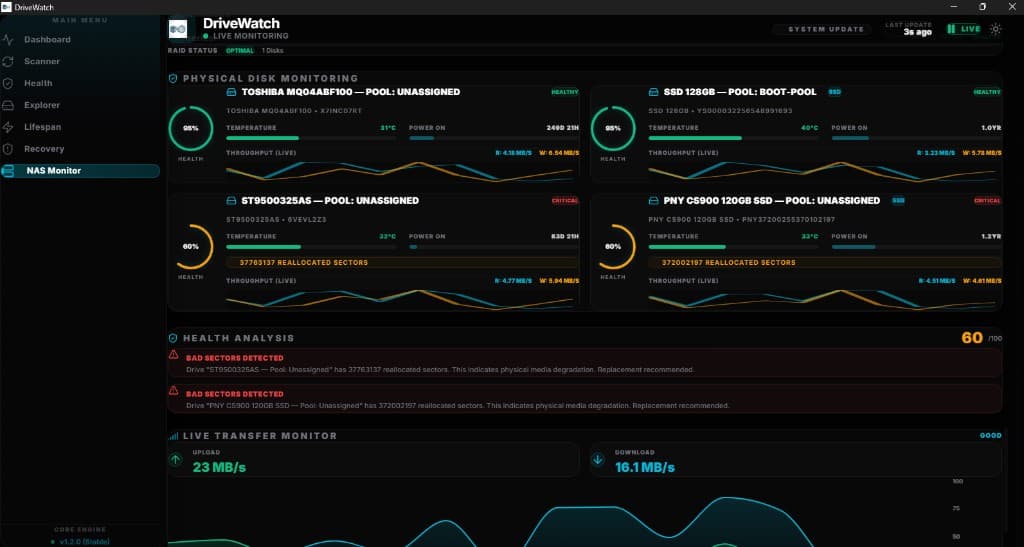
Detect connected devices, trust status, and transfer spikes
Professional recovery workflows and maintenance diagnostics
High-priority anomaly detection with actionable notification
Users receive instant update notifications as soon as new versions are released. Every release delivers improvements, fixes, and features through a seamless one-click update flow.
Instant update notifications
Seamless in-app update process
Continuous security and feature improvements
99.98%
Monitoring Uptime
<1.5%
CPU Footprint
20+
Telemetry Signals
250ms
Alert Reaction Time
Explore the DriveWatch interface with interactive previews.
Explore deeper DriveWatch resources for SSD health monitoring, fan RPM monitoring, CPU temperature monitoring, GPU monitoring, disk health analytics, and Windows system diagnostics.
Windows installer package for SSD health monitoring, fan RPM monitoring, CPU monitoring, GPU temperature tracking, disk health analytics, smart alerts, and smooth setup.
Compatible with Windows monitoring software workflows
Includes SSD health monitor, HDD scan capabilities, and disk health checker coverage
Supports fan RPM, CPU, and GPU monitoring context
Designed for hardware analytics, alerts, and system diagnostics
Install guide: Download EXE → Run setup → Launch DriveWatch → Enable notifications.
View compatibility, FAQ, and installation stepsNative macOS package with secure signing, optimized performance, and fast setup.
Install guide: Download DMG → Open package → Drag to Applications → Launch DriveWatch.
DriveWatch is professional Windows monitoring software acting as an HDD health monitor, hard drive checker, and SSD monitoring tool. It includes disk health analytics, fan RPM monitoring, CPU and GPU tracking, and system diagnostics.
Professional hardware monitoring starts here. Install DriveWatch and unlock SSD health monitoring, fan RPM monitoring, CPU monitoring, GPU temperature tracking, and real-time intelligence for every device you manage.